Create and delete an agent
Last updated: September 23, 2026
Creating an agent
Anytime you want to create an agent from scratch, you’ll do so by chatting with Alfa. Upon initiating a session on the Research tab, Alfa will work with you to create an agent.
To create a new agent, follow these steps:
Navigate to the Home page or Research page.
Type in your question or prompt into the text box.
Make sure to reference any tickers, portfolio/watchlists, documents etc. using the chip function by clicking the '+' button.
Click the send icon, or hit 'Enter', to initiate a session with Alfa.
Alfa may ask several clarifying questions. Respond to each question in the chat box or by selecting one of the suggested options.
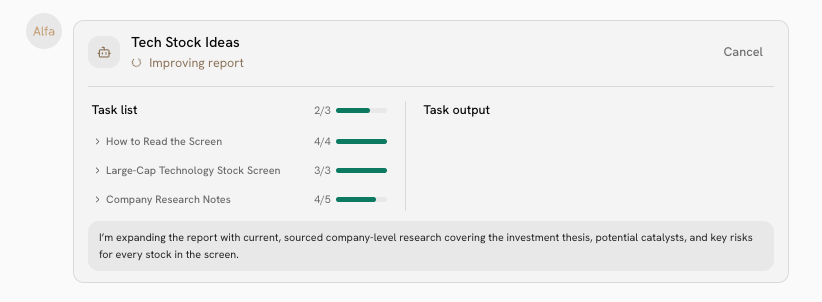
Alfa will take a few seconds to generate a task list, which are the steps it is taking to generate your agent. You may also view the output as it is being written.
Upon completion, click View report to see the finished agent.
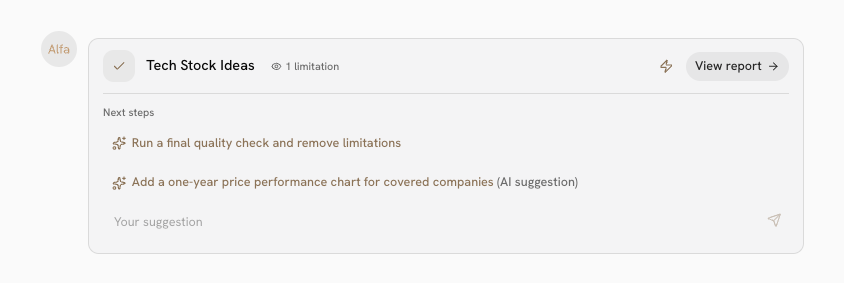
Tip: If you want your agent to automatically update its output on a timed schedule or upon an event trigger, make sure to schedule your agent by hitting Automate.
Delete an existing agent
To delete a agent that you own, follow these steps:
Click the Research tab in the lefthand sidebar.
Select the agent you wish to delete by clicking on its associated circle.
Select the Delete option.

You can also delete multiple chats simultaneously:
Navigate to the Research tab.
Select the chats you would like to delete by clicking their boxes.
Select the Delete option.
Important: You cannot recover a deleted agent. Deleting an agent does not automatically delete its preceding chat session.